ClashFX
Next-gen macOS proxy client built on mihomo core
Enhanced Mode (TUN) · Visual Config Editor · 5 Languages · Active Updates
macOS 12+ · Native Apple Silicon support · Open-source & Free
Why Choose ClashFX
Inheriting ClashX's simplicity, bringing powerful new features
Enhanced Mode (TUN)
TUN virtual NIC global proxy, one-click toggle, captures all system traffic, no extra configuration needed
Visual Config Editor
YAML syntax highlighting + form-based editing for proxy nodes and rules, say goodbye to manual config file editing
5 Languages
Chinese/English/Traditional Chinese/Japanese/Russian, switch anytime, perfect for users worldwide
40+ Rule Types
Built on mihomo core, supports GEOSITE, RULE-SET, logical rules (AND/OR/NOT), regex matching, and more — far beyond ClashX's basic rules
Active Updates
Actively maintained mihomo core, compatible with the latest macOS, online GeoIP database updates, long-term support
ClashFX vs ClashX Pro
See what new features ClashFX brings that ClashX Pro doesn't have
Download ClashFX

ClashFX
v1.1.11Next-gen macOS proxy client built on mihomo core, open-source and free
Installation Guide
ClashFX is not Apple-signed. macOS will show a security prompt on first launch — follow these steps to open it safely
⚠️ This is standard for all unsigned macOS apps, not specific to ClashFX
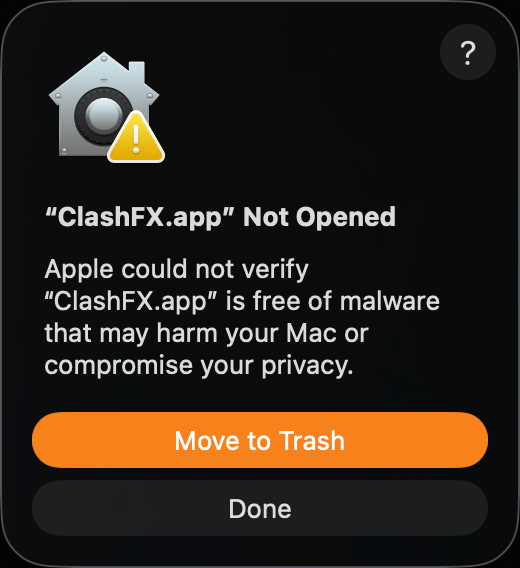
① Double-click to open — Security alert appears
This dialog appears for all unsigned apps — it's a normal macOS response.
👉 Click "Done" (do NOT click "Move to Trash")
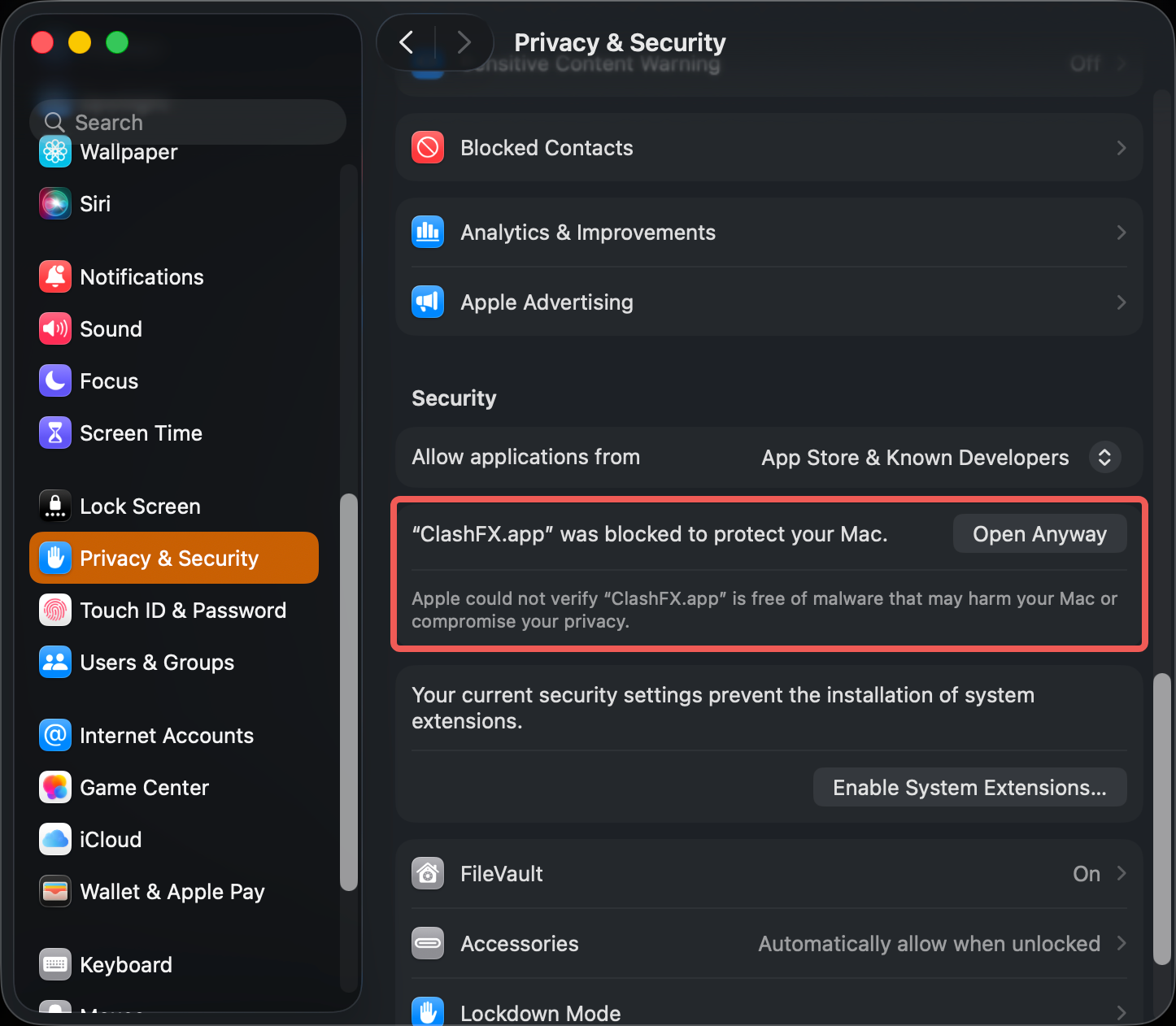
② System Settings → Privacy & Security
Open System Settings → Privacy & Security, scroll down to find "ClashFX was blocked to protect your Mac".
👉 Click "Open Anyway"
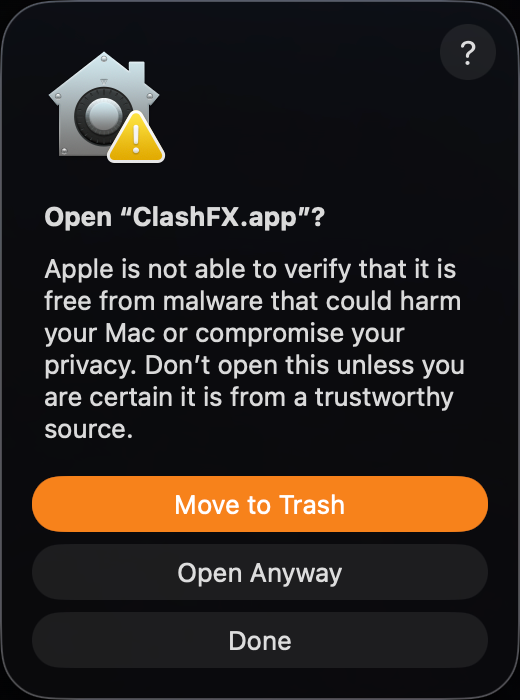
③ Confirm opening
Final macOS confirmation. After this, ClashFX will open without warnings.
👉 Click "Open Anyway"
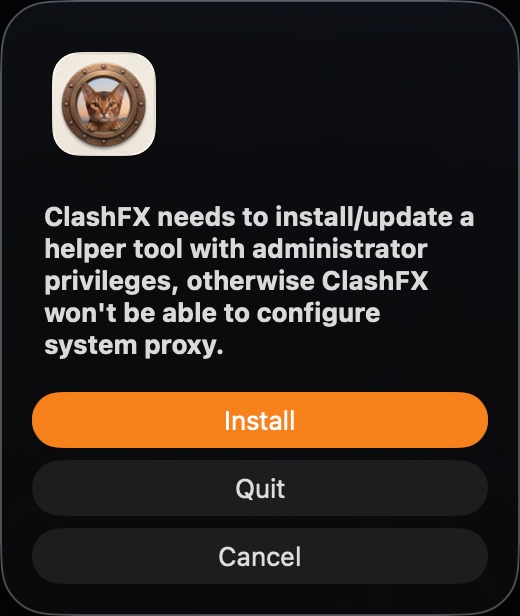
④ Install helper tool
ClashFX needs a helper tool to configure the system proxy. Without it, system proxy won't work.
👉 Click "Install", then enter your Mac password
Migrate from ClashX to ClashFX
Three simple steps for a seamless switch to ClashFX
Download ClashFX
Get the latest version from the download button above or GitHub Releases, open the DMG and drag it to your Applications folder
Auto Config Migration
On first launch, ClashFX automatically copies config from ~/.config/clash/ to ~/.config/clashfx/ — no need to re-enter subscription links and rules
Enjoy New Features
Enable TUN enhanced mode, use the visual config editor, switch interface language, and experience the next-gen proxy client